


Introducing S.EE Link in Bio: One Page for Every Link You Share
S.EE Link in Bio puts every link you share behind one URL on your own domain, with tap analytics in the same dashboard as your short links. Here's who it's for, the problems it solves, and how to set one up.
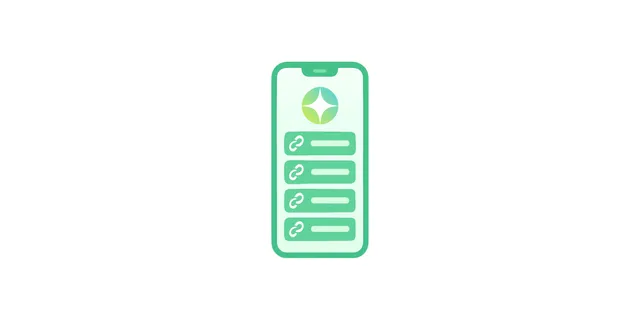
Most social platforms give you exactly one clickable link. You might have a new video, a shop, a newsletter, and a portfolio you want people to find, but your profile fits a single URL. A link in bio page solves that. It's one page that holds all your links behind a single short address, so you update the page instead of rewriting your bio every time something changes.
Today we're rolling out S.EE Link in Bio. It runs on our incredibly short domains like s.ee/you, or your own custom domain, and every tap shows up in the same dashboard as the rest of your links. In this guide we'll walk through what a bio page is, who it helps, the problems it solves, and how to build one in a few minutes.
What a link in bio page actually is
A link-in-bio page is a single landing page for everything you share across your social profiles: your latest video, your shop, your newsletter, your portfolio, and anything else worth pointing to. You put one URL in every bio. When someone taps it, they land on a page with all your links laid out and ready to follow.
The format caught on because of a platform limit. Instagram, where the phrase started, gives you one website field in your profile, which is why creators began pointing that single link at a page that holds the rest. One link replaces the list.
That single link does more work than it looks like. Pew Research Center found that half of U.S. adults use Instagram and 84% use YouTube. Whatever you're promoting, the link in your bio is often the only doorway from a profile to everything else you do, so it's worth getting right.
Why one bio link holds you back
The trouble with a single link is friction, both for you and for the people following you. Every time you launch something new, you have to decide what your one link should point to, then go edit your bio. The video you posted yesterday and the product you dropped this morning compete for the same slot.
There's a second problem most people never solve: you can't see what's working. A raw URL in your bio tells you nothing about which audience clicked, what device they used, or where they came from. You're guessing.
A bio page removes both headaches. You list everything in one place, reorder it whenever you want, and point your profiles at a link that almost never has to change. And because the page sits behind a trackable URL, you finally get to see which links people actually tap.
Who S.EE Link in Bio is for
If you have more than one thing to share, a bio page earns its place. A few common cases:
Creators and influencers
Promote a new video, drop, or collab without touching your bio text. Pin what's featured this week, hide what isn't, and keep one stable link across every platform. If most of your traffic comes from social, our tools for creators are built around exactly this kind of workflow.
Musicians and artists
Link every streaming service from a single page: Spotify, Apple Music, YouTube, plus merch and tour dates. Visitors pick the platform they already use instead of being funneled to one you chose for them.
Small businesses and shops
Put your store, menu, booking link, hours, and reviews one tap away. When something changes, you update the page in seconds rather than editing the same detail across four different profiles.
Podcasters and newsletters
Bring your subscribe links, latest episodes, sponsor pages, and signup form together. Listeners land in one spot and choose where they want to go next.
What makes S.EE Link in Bio different
Plenty of services will host a bio page for you. The difference here is that yours runs on infrastructure you control, with analytics that live alongside the rest of your links.
Your page on your own domain
Instead of a third-party URL with someone else's branding, you can host your bio page at your own address, like example.com or bio.example.com. Prefer something quick? Use s.ee/yourname. Either way, you can connect a custom domain and TLS is set up for you automatically, so the page loads securely without any extra steps.
Tap analytics in one dashboard
Every tap on your bio page is reported the same way your short link clicks are: total taps, top links, geography, device, and referrer. There's no separate tool to log into. Your bio data sits in Link Analytics next to everything else you share, so you can actually tell what's pulling weight.
Over 20 themes and two layouts
Pick from more than 20 themes in either a list or grid layout, preview them live, and switch whenever you like. Your links stay in place when you change the look, so redesigning your page never means rebuilding it.
Live content from your platforms
Grid layouts can pull in your latest content automatically. Connect a feed and your page can surface recent GitHub repositories, Mastodon and X posts, videos, or RSS items as you publish them. The page stays current on its own, which means less maintenance for you. List layouts show your chosen links only, if you'd rather keep things fixed.
Built to share with a team
You can create bio pages inside a team workspace or hand a page off to a team, so more than one person can manage links and content without sharing a personal login. That's useful once a page becomes part of a brand rather than a side project.
How to set up your link in bio page
After signing up and navigating to Bio Pages, getting a page live takes about three steps. There's no template to configure and no CSS to write.
- Pick a handle or connect a domain. Start with s.ee/yourname for something instant, or connect a domain like example.com or bio.example.com if you want a fully branded address. You can begin with a handle and move to a custom domain later.

- Add and arrange your links. Paste in the links that matter: socials, shop, latest video, newsletter, whatever you point people toward. Drag to reorder them, pin what's active, and hide anything that isn't. Add a photo and set your accent colors so the page reads as yours.

- Share it and watch the taps. Put the one link in every social profile. From there, taps roll into your dashboard alongside the rest of your link data, so you can see which destinations people choose and adjust the page accordingly.

That's the whole setup. Once it's live, maintaining it is mostly reordering links and checking which ones perform.
Wrapping up
A link in bio page turns the single slot most platforms give you into a page for everything you share. S.EE Link in Bio takes that further by running on your own domain and feeding every tap into the same analytics dashboard as your short links, QR codes, and file shares, so you manage and measure all of it in one place.
Link in Bio is available on paid plans, starting at $5.99/month. Ready to claim your page? Build your bio page or view pricing to see what each plan includes.
Frequently asked questions
Is S.EE Link in Bio free?
Link in Bio is included on S.EE's paid plans, which start at $5.99/month. You can see exactly what each tier includes on the pricing page.
Can I use my own domain?
Yes. Connect a custom domain and your bio page lives at example.com or bio.example.com, with no S.EE branding in the URL. If you'd rather not use a domain, you can use a free s.ee/yourname handle instead.
What analytics do I get?
Each tap is recorded in your dashboard: total taps, top links, geography, device, and referrer. It's the same view as your short link clicks, so your bio page data and your link data sit side by side rather than in separate tools.
Can my page show my latest posts automatically?
Yes, if you use a grid layout theme. Connect your GitHub, Mastodon, X, videos, or an RSS feed, and the page pulls in your latest content as you publish. List layout themes display your chosen links only.
How is a bio page different from a regular short link?
A short link points one URL to one destination. A bio page is a destination of its own that holds many links, with its own look and its own tap tracking. Most people use both: short links for individual campaigns, and one bio page as the home for everything.


