


What Is a URL Redirect and How Does It Work?
Need to send web traffic from one address to another without causing headaches? URL redirects are the answer.
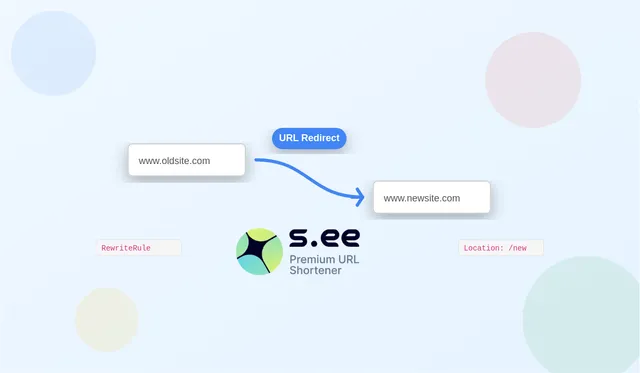
Whether you're rebranding your company, restructuring your website, or just fixing broken links, understanding URL redirects isn't just for web developers. It's essential knowledge for anyone managing a brand or online presence.
The redirect rundown: Types that matter
Not all redirects are created equal. Each serves a specific purpose, and choosing the right one can make or break your website's user experience and search rankings.
301 Redirect: The permanent move
Think of the 301 redirect as changing your permanent address with the post office. It tells search engines and browsers, "Hey, this page has moved forever, please update your records."
The 301 redirect is your go-to when:
- You've rebranded your company
- You're changing domain names
- You've permanently restructured your website
- You need to consolidate duplicate content
The best part? A 301 redirect transfers nearly all of your previous page's SEO juice to the new location. That means all those backlinks and ranking signals don't go to waste.
302 Redirect: Just visiting
Consider a 302 redirect as your "temporarily out of office" message. It signals that your content has moved, but only for a short while. Search engines will keep the original URL in their index, expecting it to return.
Use a 302 when:
- You're testing a new page design
- Running a seasonal campaign
- Your original page is under maintenance
- You want to A/B test without SEO implications
Meta Refresh and JavaScript redirects: The client-side options
While server-side redirects (301s and 302s) handle things behind the scenes, meta refreshes and JavaScript redirects work on the user's browser. They're easier to implement but come with drawbacks—they're slower and less SEO-friendly.
These might be your only option if you lack server access, but whenever possible, stick with server-side solutions for optimal performance.
How to implement URL redirects (without pulling your hair out)
Setting up redirects doesn't have to involve migraines and caffeine overdoses. The right approach depends on your website platform:
For Apache servers (.htaccess method)
The trusty .htaccess file is the most common way to set up redirects. Create or edit this file in your root directory:
# Redirect single page (301 permanent)
Redirect 301 /old-page.html https://www.example.com/new-page.html

# Redirect entire site
RewriteEngine On
RewriteCond %{HTTP_HOST} ^oldsite.com [NC,OR]
RewriteCond %{HTTP_HOST} ^www.oldsite.com [NC]
RewriteRule ^(.*)$ https://newsite.com/$1 [L,R=301]
For Nginx
It's server configuration blocks:
location = /old-page.html {
  return 301 https://www.example.com/new-page.html;
}
WordPress made simple
If WordPress powers your site, you can avoid code altogether:
- Install a redirection plugin
- Enter your old URL and new destination
- Click save (and maybe do a victory dance, it's pretty easy)
Using S.EE for painless redirects
Managing multiple redirects across different platforms can quickly become a tangled mess. This is where S.EE shines. As a comprehensive link management platform, S.EE lets you:
- Create and manage redirects from a single dashboard
- Track redirect performance with detailed analytics
- Update destinations without touching server configs
- Set up conditional redirects based on user location, device, or time
- Maintain redirect chains without performance penalties
Real-world redirect strategies that deliver results
The site migration master plan
When moving your site to a new domain, perfect redirects make the difference between success and disaster:
- Map out every URL on your old site
- Create corresponding destinations on your new site
- Set up 301 redirects for each page
- Update your most important backlinks
The product discontinuation playbook
When products go away, their URLs shouldn't lead to dead ends:
- Redirect discontinued product pages to similar alternatives
- For categories with no replacement, redirect to the parent category
- Monitor these redirects to identify potential new product opportunities based on continued interest
The seasonal campaign approach
For temporary promotions that need specialized landing pages:
- Use 302 redirects to temporarily send homepage traffic to your campaign page
- Schedule the redirect to automatically revert when the campaign ends
- Analyze traffic patterns with S.EE's tools to optimize future campaigns
Beyond the basics: Advanced redirect techniques
Geo-targeting with redirects
Send visitors to country-specific versions of your site based on their location. S.EE's redirect rules make this simple without requiring complex server configurations.
Time-based redirects
Automatically change where links lead based on time of day or date ranges. Perfect for limited-time offers or different business hours.
Device-specific experiences
Send mobile users to responsive pages while desktop users see full-featured versions. S.EE's conditional redirects handle the logic so you don't have to.
Measuring redirect success
Setting up redirects is only half the battle. You need to know if they're working:
- Monitor traffic to redirected pages
- Check for increases in 404 errors
- Watch for unexpected drops in rankings
- Track user behavior after redirects
S.EE's comprehensive analytics dashboard gives you visibility into all these metrics in one place, saving you from jumping between different tools.
Take control of your redirects
URL redirects might seem like a minor technical detail, but they're crucial for maintaining your site's SEO value and providing a seamless user experience. Whether you're handling a major site migration or just fixing a few broken links, proper redirect management can save you from headaches and lost traffic.
With S.EE's link management platform, you can create, manage, and monitor all your redirects from one intuitive dashboard. No more digging through server configs or wrestling with code—just simple, effective redirect management that works.
Ready to take the stress out of URL management? Start today and see how S.EE can transform your approach to redirects and link management.
Frequently asked questions about URL redirects
Can I redirect a URL without access to my server?
Yes! While server-side redirects (like 301s) are ideal, you can use S.EE to create redirect links that don't require server access. This is perfect for social media campaigns or when working with platforms where you have limited technical control.
How do redirects affect my SEO?
Properly implemented 301 redirects transfer approximately 90-99% of the original page's SEO value. Temporary 302 redirects don't pass as much value because search engines expect the original URL to return.
Can I redirect users based on their device or location?
Absolutely! S.EE offers conditional redirects that can send users to different destinations based on their device type, geographical location, time of day, or even previous browsing behavior—all without complicated server configurations.
How many redirects can I create with S.EE?
S.EE offers flexible plans to accommodate everything from small businesses to enterprise needs. Even the starter plan includes ample redirects for most websites, and you can easily upgrade as your needs grow. Check out the full details at s.ee/trial.
Will redirects slow down my website?
Server-side redirects add minimal load time when properly implemented. However, redirect chains (multiple redirects in sequence) can cause noticeable delays. S.EE's tools help you identify and eliminate these chains for optimal performance.
How do I track if my redirects are working properly?
S.EE provides comprehensive analytics for all your redirects, showing you exactly how many people are following each redirect, where they're coming from, and so on. This makes it easy to spot any issues and optimize your redirect strategy.


